
Your club, in your pocket.
The schedule, routes, messaging, licence, kit, and a points counter that goes up every time you show up. One account, as many clubs as you like.
One account, all your clubs.
You create it once - by email, with Google, or with Apple from the app. It works for every club you'll join, today and ten years from now.
My clubs, your front door
Your clubs, each with its colours, your role and an unread messages badge. Your pending requests. Your children's clubs. You step into one, and switch to another in one click.
One account, a different role everywhere: coach at your triathlon club, regular member at your running club.
Join a club, in five steps
- Search by name or tag, or filter by sport, level, federation and region - or spot it on the map.
- Open its profile: disciplines, levels welcomed, age ranges, contacts.
- Fill in its form and tick the groups you're interested in.
- The committee approves your request.
- You're in: added to the club, to your groups and to their conversations.
No invitation link or code: everyone goes through a request. The club controls who comes in, and you're expected. Sports covered
What you open on Saturday morning.
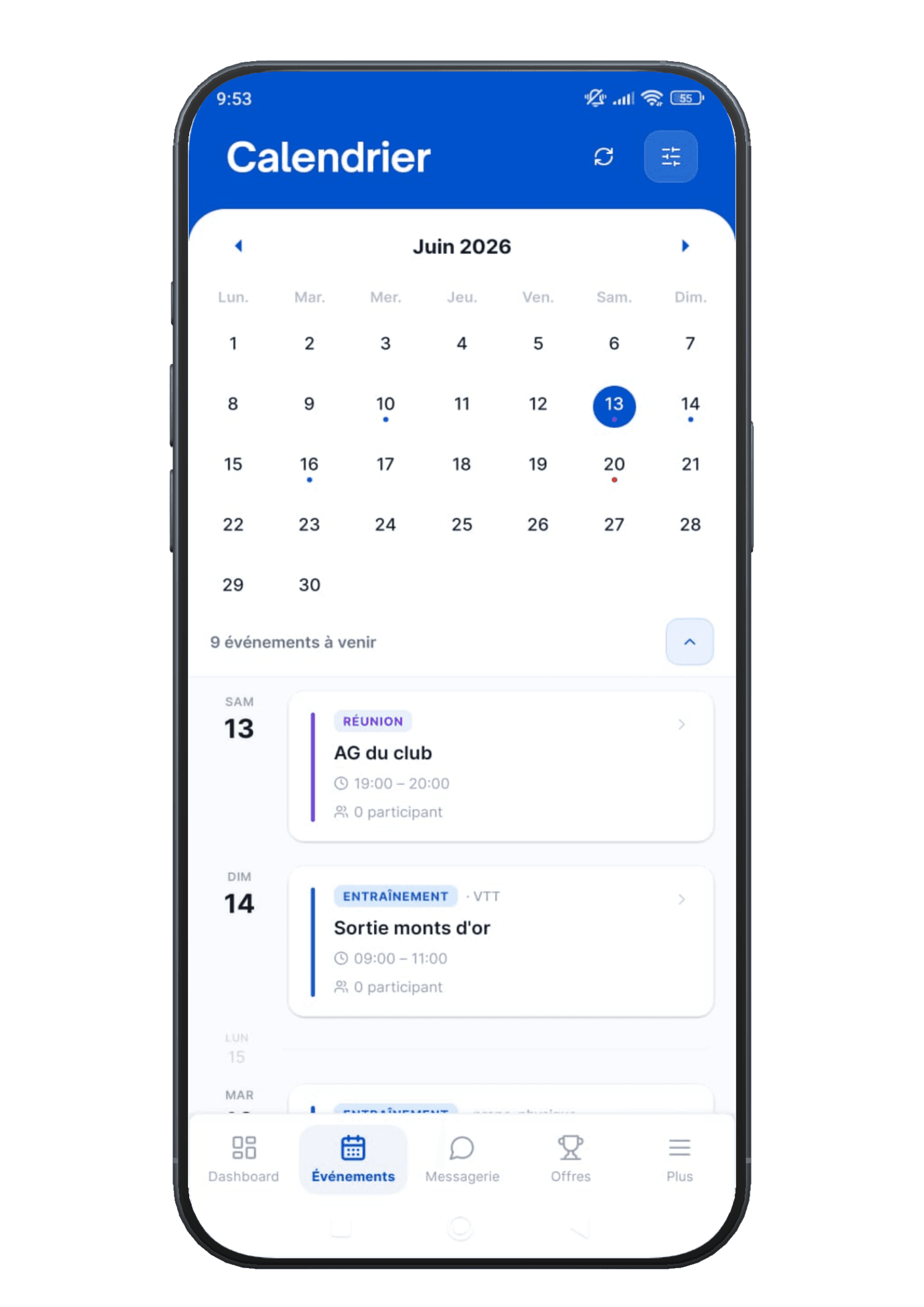
The calendar. All the club's events - training, meetings, races, camps, reminders, social rides - and your sign-ups. You confirm attendance in one gesture. You get a notification when something concerns you. Competitions have their own tab, the race entry portal, and the club calendar can show up in your usual calendar app.
Resources. Six families, including the one that really matters when you ride, run or swim:
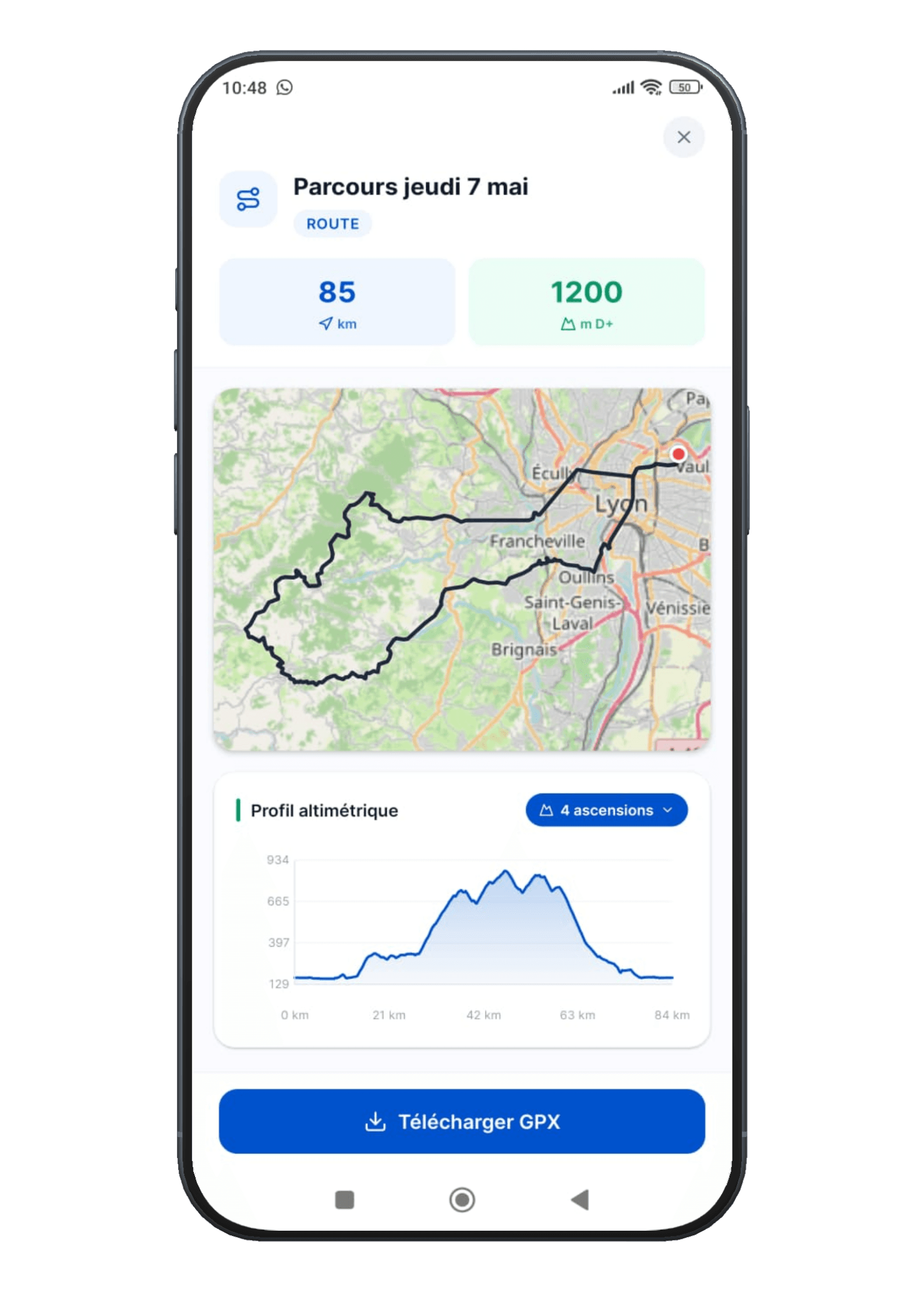
- GPX routes, displayed on a map, with distance and elevation profile. The file goes straight to your bike computer.
- Training plans, sessions, drills.
- Articles and documents shared by the club.
What it replaces: the Drive link sent to fifteen people, the “anyone got tomorrow's route?” message, and the training plan PDF lost in a conversation from January.
A club is its people.
Messages
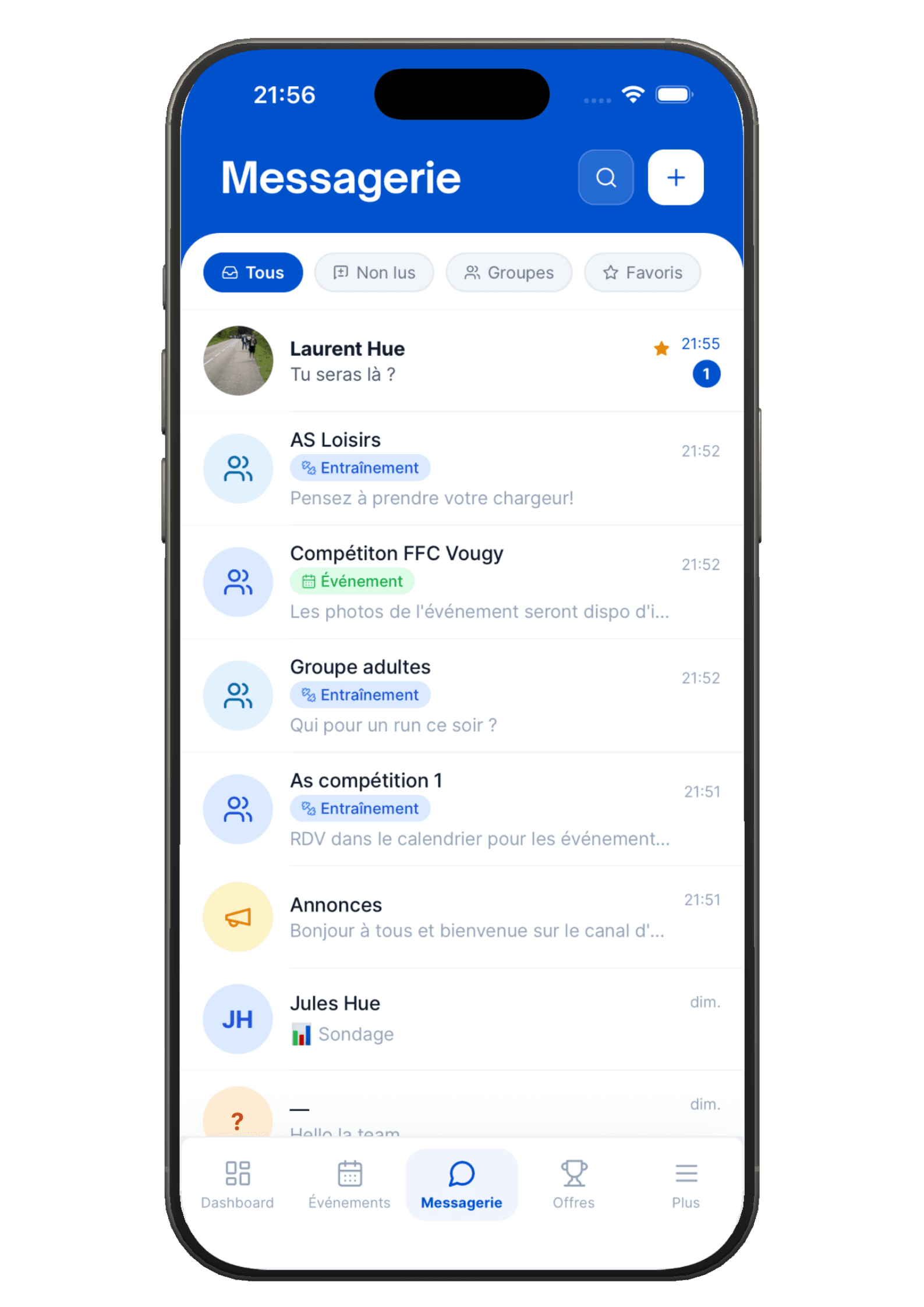
Direct and group conversations, created automatically from your groups. Attachments, polls, pinned messages.
Forum
The club feed: race reports, photos, kit questions. Reactions and comments.
Directory
The club's members, filterable by role and group. And the club's partners.
Volunteering
The missions on offer. You sign up in one click, and join the volunteers' chat.
Notifications
Your preferences, category by category, club by club. You decide what makes your phone buzz.
Pay your club without a chequebook.
Licence
Choose your licence and price, upload your documents (medical certificate, parental consent, photo), pay, follow the approval. Your licence arrives as a PDF.
Ticketing
Camps, trips, courses and evenings out. Places left, waiting list, tracking of your sign-ups.
Shop
The club's kit and equipment: sizes, options, basket, pick-up at the club or delivery.
History
Everything you've paid the club, filterable, with details and receipts.
By card, in cash or by cheque, depending on what your club accepts. These pages appear as soon as your club has connected its bank account - it isn't tied to your own account.
The more you show up, the more you earn.
This is the part of Hudlo that exists nowhere else. Your commitment to the club unlocks offers from sports partner brands. Your club's own partners can also post their offers there.
- Take part in a club event
- Points, as soon as your attendance is recorded.
- Take on a volunteer mission
- More. It's the most rewarded commitment.
- A weekly cap smooths things out: points build up steadily.
- Your balance can be spent. Your lifetime total, however, never goes down: it's what sets your level.
- Offers are unlocked with points: discounts, cashback, or free products, online and in store.
- An unlocked offer gives you a code to use with the partner.
Your Hudlo subscription costs €1.67 a month, €20 a year in total. Nothing caps what you can earn back at that amount: covering it is the starting point, not the limit. The model, explained →
Your child's club, from your account.
A child needs their own account, exactly like an adult. But a parent can link it to theirs.
- A “Clubs of…” section appears on your My clubs page, below your own clubs.
- A “Me” tab and one tab per child show you what's happening for each of them - without switching accounts.
- When action is needed - signing up for a camp, paying a licence, answering a poll - you switch to their account in one click. A banner stays on screen the whole time to remind you that you're acting on their behalf.
- You can search for a club and send the membership request for them.
Linking requires acceptance from the child's account. That's what protects them, and what protects you.
The parents' guide, step by step (opens in a new tab)The whole member space, in the app.
Not a lite version, not a website squeezed into a frame: everything you've just read.
Dashboard, calendar and sign-ups, messaging, forum, directory, volunteering, resources with GPX maps, licence, shop, payment history, points and offers - and push notifications, which are the reason you no longer need the WhatsApp group.
Available on iPhone and Android. In French, English, Spanish, German, Italian, Dutch, Portuguese, Japanese and Chinese.
The member's guide: getting started (opens in a new tab)
If you have a management role in a club, the app shows you a read-only preview of what's waiting for you, then sends you to your computer to act.
Your club may
already be here.
One account, one search, one request. And if it isn't here yet, let us know: that's often how a club arrives.