Club rides: know who's coming and share the GPX route
 Co-founder of Hudlo2026年6月30日阅读时间 9 min俱乐部生活英文文章
Thursday, 9:30 pm. You open the club's WhatsApp group and scroll back up the thread to count the "I'm in"s. There are thumbs-ups, "maybe"s, someone answering last week's poll, and the GPX file for the route, posted on Tuesday and already buried under forty messages. On Saturday morning, at the meeting point, there will be six of you, or fifteen. You won't know until you get there. Almost every ride leader knows this ritual, on the bike as much as in running or trail clubs.
In brief
- The problem isn't the messaging app: it's counting heads, balancing the groups and finding the route in a thread built for chatting.
- A recurring ride is created once for the whole season, visible only to the relevant ability group, with a single notification for the whole series.
- Members sign up in one tap. The GPX route shows on a map with its elevation profile, and the file downloads for their bike computer.
- Attendance counts itself, and the club calendar can appear in each member's personal calendar.
The Thursday-night ritual
Organising your cycling club's rides means answering three questions before the weekend: who's coming, in which group, on which route. In most clubs, it all goes through the same chat thread. The ride is announced there, replies are counted there, the route is posted there. And someone's new wheels get discussed there too.
It holds up as long as the club fits in one group and the same person does the count every week. It breaks as soon as the club grows, has two or three ability levels, or the ride leader goes on holiday. Cycling clubs live this every Saturday; trail clubs live it with the long Sunday run.
What the chat thread really costs
The time spent counting is only the visible part. The real costs are elsewhere.
| What happens | What it costs the club |
|---|---|
| Nobody knows how many will turn up | A ride goes ahead with two people, or is cancelled when others were planning to come |
| Levels get mixed up | A badly balanced group: the fast riders wait, the others get dropped |
| The route is posted in the thread | Impossible to find on Saturday morning, or last year's version loaded by mistake |
| The newcomer isn't in the right group | They miss the announcement, come once and never come back |
| Attendance is counted by hand | No attendance figures for the general meeting report |
That last point is often forgotten. At the end of the season, the committee will ask how many rides the club organised and how many people came. If the answer is scattered across hundreds of messages, nobody will piece it back together.
With Hudlo: the ride is created once for the season
In Hudlo, the Saturday ride is an event in the Calendar, in the management space. The coach or the committee creates it once, and it repeats until the end of the season. The calendar is free and doesn't require any bank connection.
Creating the recurring ride
- In Calendar, click Create an event.
- Choose the type. There are six: training, meeting, competition, camp, reminder and social. The Saturday ride is usually Training.
- Fill in the title, the sport, the meeting Location, the start time and the duration. Add the ride leader (Coach) and the Equipment needed: lights in winter, a spare inner tube, a head torch for Tuesday night's trail session.
- Turn on Repeat this event. Pick the frequency (Every week, Every 2 weeks or Every month) and the end date under Until. The preview shows how many events will be created.
One Saturday is different? An earlier start for a sportive, another meeting point: edit that date only. Hudlo asks whether the change applies to This event only or to This one and following.
One ride per ability group
Under Visibility, choose Group, then the group or groups concerned. These are the groups you created to structure the club: ability levels, sections, disciplines. A "group 2" ride only shows up for members of that group. Group 1 has its own. Each group also has its own messaging conversation, kept up to date automatically.
Two other settings matter:
- the Registration mode: Automatic, or With approval if a ride leader needs to approve each sign-up;
- Max participants: unlimited if you leave it empty. Useful when a single coach is leading.
For a one-off ride that needs organising, such as a route recce, the Create an automatic group option opens a conversation with you and everyone signed up. It is deleted three weeks after the event. This option isn't available on a recurring series.
The notification goes out on its own
When the event is created, the relevant members get a notification. For a public event, that's the whole club; for a group event, only members of the selected groups. A recurring series sends one notification, not one per Saturday. A private event, visible to admins only, notifies nobody. Each member sets their notification preferences for the club, category by category.
Signing up in one tap
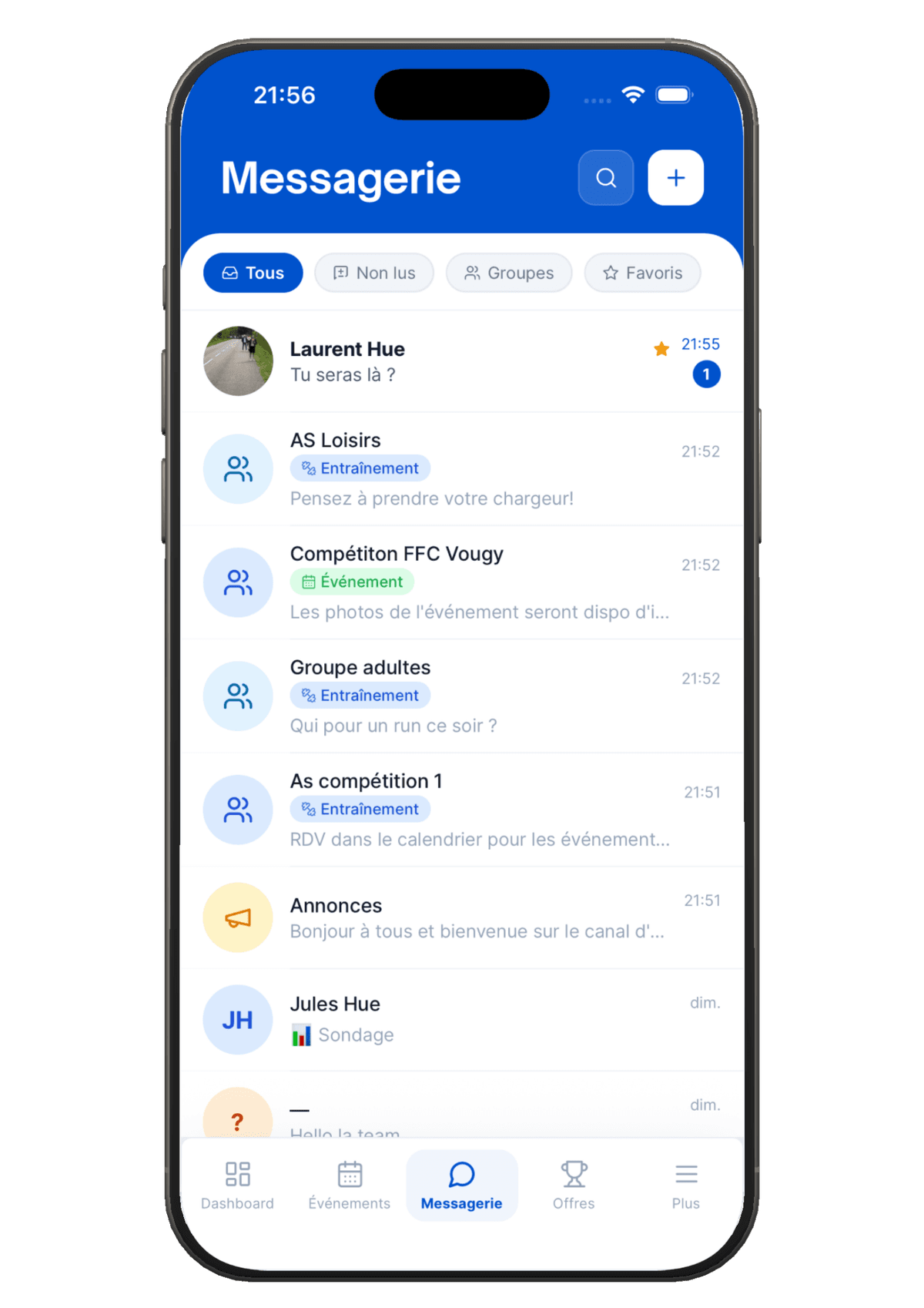
On the member side, the ride appears in the Calendar of their space, on the web and in the iOS and Android app. They open the event and tap Register. If they change their mind, they tap Unregister. You see the up-to-date list of participants without counting anything. What members see is described on the member space page.
The GPX route: on a map, and for the bike computer
GPX is an open file format designed to exchange GPS data between applications (GPX format definition). It's the file you load onto a bike computer or a GPS watch. Hudlo offers two ways to share it, which work together:
- Attach the file to the ride. In the event form, the Media section accepts GPX files. Members find it in the ride's details and download it.
- Publish the route in Resources. In Routes & GPX, click Add a route. Members see the route on a map, with the distance, the elevation profile and a breakdown of the climbs. The Download GPX button gives them the file to load onto their bike computer or watch.
The catalogue can be filtered by type of riding or running (road, MTB, gravel, trail, running), by distance and by elevation gain. Season after season, it becomes the club's route library: the beginners' loop, the climbers' loop, the recce of the local sportive. A route can also be sent into a messaging conversation.
Attendance that counts itself
Every sign-up is recorded. The coach sees who took part in each ride, and the management calendar keeps the participation statistics. For members, a recorded participation also earns points.
What this changes in practice:
- You know the day before how many people to expect, group by group.
- You can see which sessions are working and which are running out of steam.
- At the end of the season, the attendance figures are already there for the general meeting report.
The club calendar in everyone's own calendar
Many members live in their personal calendar, not in the club app. Hudlo can show the club's events there. In Notifications & settings, the member chooses Subscribe to calendar, for the whole club or for just one of their groups. They then add it to Google Calendar, Apple Calendar or Outlook. On Google, it's the "From URL" option (Google Calendar help); on a Mac, the File menu in Calendar (Apple help).
Additions, changes and deletions carry over automatically. Each calendar app refreshes the subscription at its own pace, from a few minutes to 24 hours depending on the service. The link is personal: don't share it.
Races follow a different path. In Hudlo, competitions have their own tab, the Entry portal. If your club is affiliated with the FFC (the French Cycling Federation), see how to enter your riders without crossed emails or spreadsheets.
If you don't use a tool
The method that works with a simple messaging group:
- A fixed place and time all season, written in the group description. You only announce the exceptions.
- One poll per ride, posted on the same day every week, with one answer per level: "group 1", "group 2", "not coming".
- A reply deadline. After Thursday 8 pm, the ride leader confirms or cancels, and says so.
- The route pinned at the top of the conversation, with the route name, distance and elevation gain in the message.
- A shared folder of routes, sorted by distance, so nobody has to dig for last year's file.
- An attendance sheet, however basic, filled in after each ride. It will come in handy at the general meeting.
- One ride leader at the front and one at the back of each group, chosen in advance.
Hudlo's Calendar brings together the club's free schedule: training sessions, meetings, races, camps, reminders and social rides. It handles recurrence, public, group or private visibility, automatic or approval-based sign-ups, attached media and participation statistics. Resources add GPX routes, with a map and an elevation profile. See the member space
What this changes for the coach
Thursday night becomes a Thursday night again. The ride already exists, members of the right group have been notified, sign-ups are on screen and the route is where it should be. The day you hand over to another ride leader, nothing is left on your phone: everything is in the club.
If you're thinking more broadly about the club's tools, our article on digitising a sports club's management walks through the steps.
Further reading
- Digitising your club's management in 2026 - The tools that lighten club leaders' admin
- FFC clubs: entering your riders without crossed emails or spreadsheets - Requests, the export for the federation and paying the entry fee
- Starting a cycling club: the complete guide - The steps to launch a cycling club, from affiliation to the first rides
- How to keep your club's members engaged - Bringing back the people who came once
- Club camps: places and waiting lists without a spreadsheet - Capacity, waiting list and payment for camps, trips and dinners